Once the Clients Registration Process are finalized, SBZ will send an electronic agreement to the client for their signature. Upon signing, our system will automatically distribute copies to both the client and SBZ. Should you wish to receive a copy as well, please notify us via email at support@sbzsystems.com.
Following the completion of the agreement, SBZ will submit the necessary declaration based on the client’s selection regarding the use of provider services for Wholesale (B2B) and/or Retail (B2C) transactions.
Once the entire process is concluded, SBZ will inform the Partner that the client is ready to go live in the Production environment.
New Platform for Provider Partners
Partner Platform
Please make sure you have an account on api.sbz.gr, even if your company does not use our services directly and only your clients do.
After logging in, you will see a new button labeled USERS.
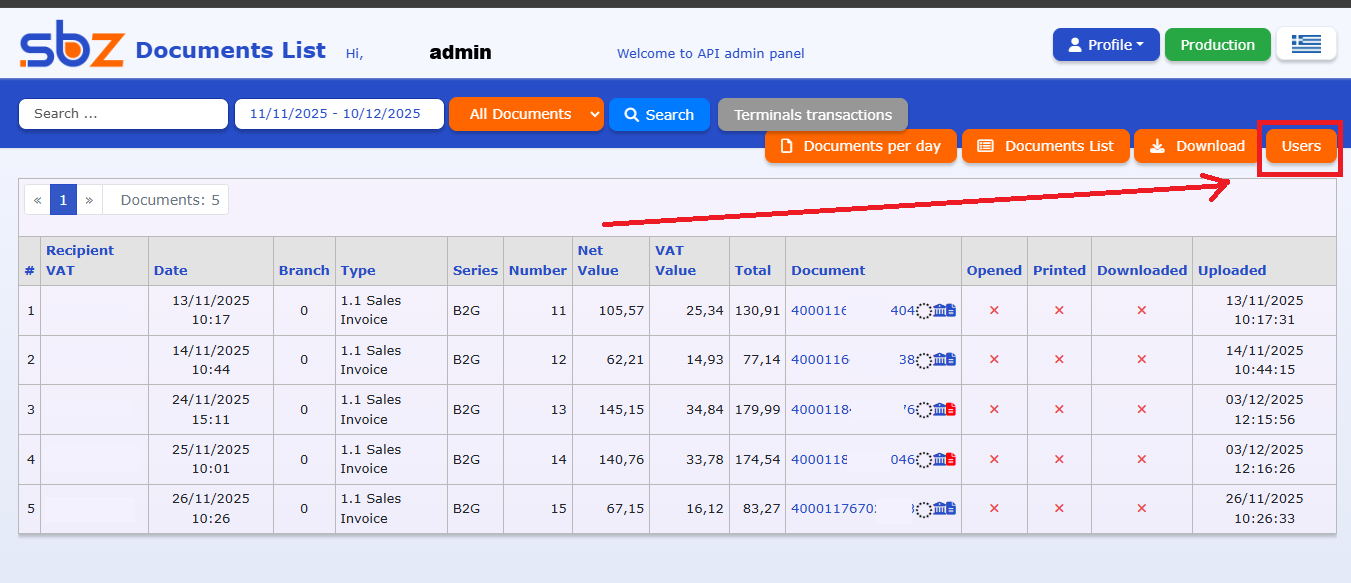
By selecting this button, you will be taken to your admin panel, where you can:
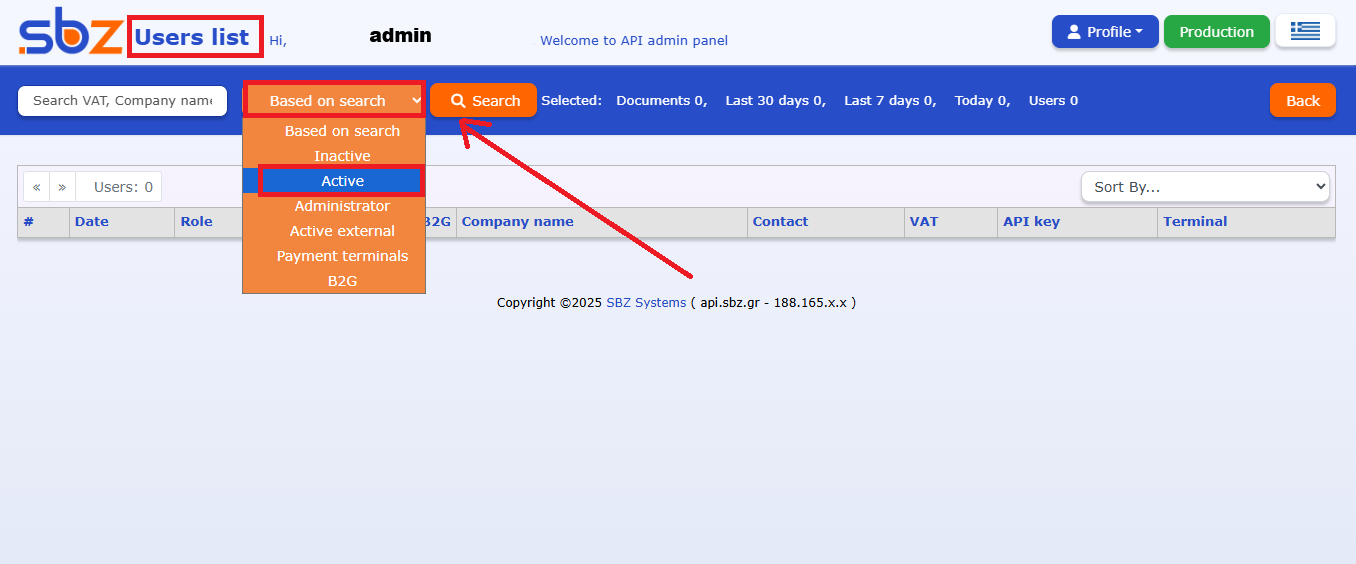
• search for your customers
• filter them by status (active – inactive)
• see which customers have connected POS terminals or B2G
Depending on the selected filters, the corresponding customer list will appear.
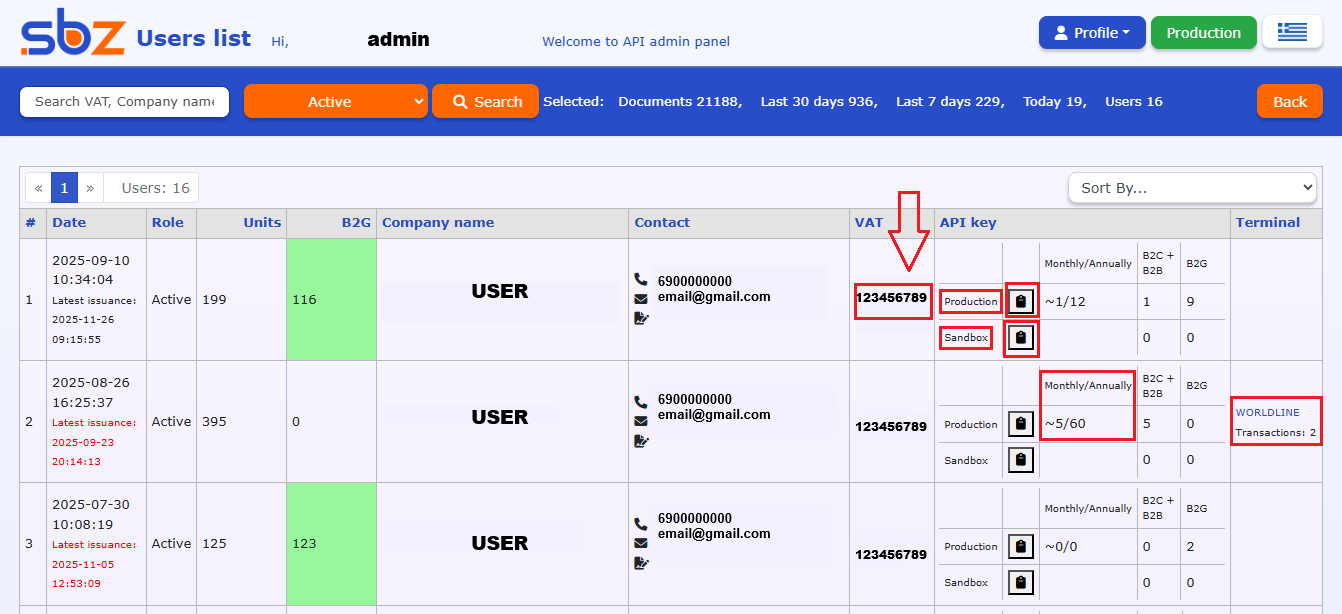
Detailed customer information available
Within each customer profile you can view:
• date of last issued invoice
• remaining units
• contact details & VAT number
• production / sandbox API key
• monthly and yearly average document issuance
• connected POS terminals and related transactions
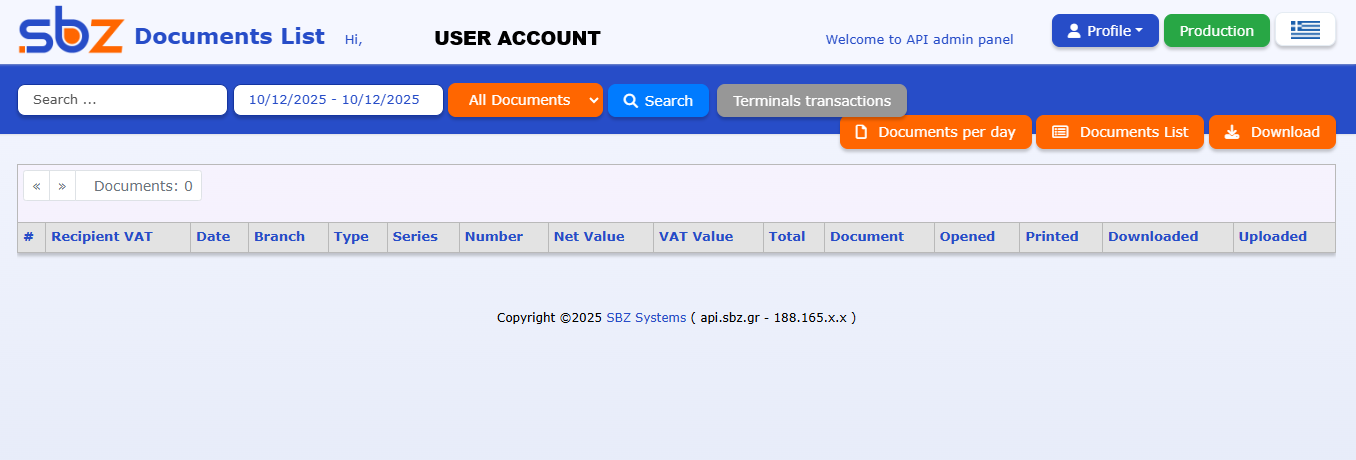
Additionally, by clicking on a customer’s VAT number, you may access their account directly to review their invoices or any other information you may need.