


If we do not want to define a common policy for the entire server, we can define security headers per user, through DirectAdmin.
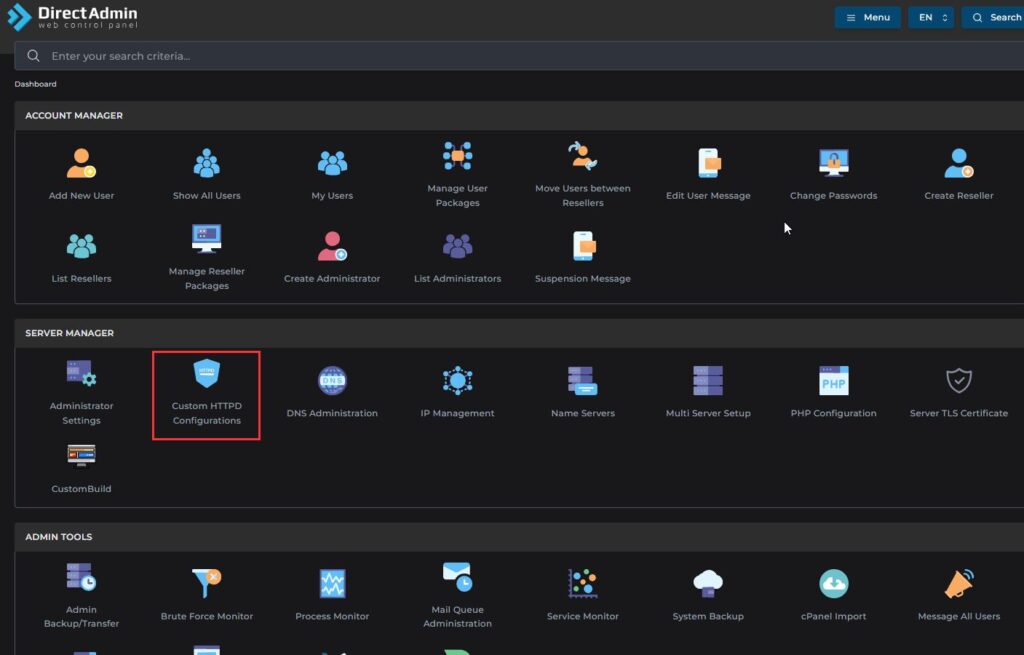
We go to the Dashboard > Custom HTTPD Configurations menu.
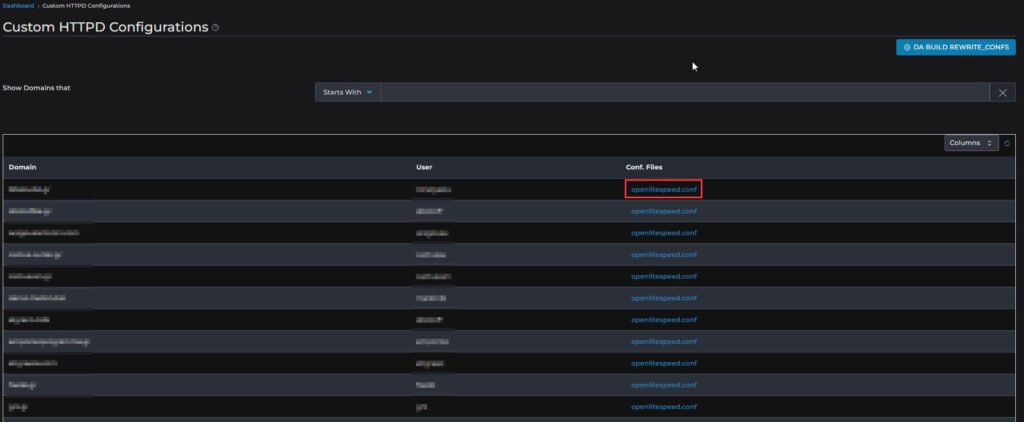
We select the user we want and open the openlitespeed.conf file
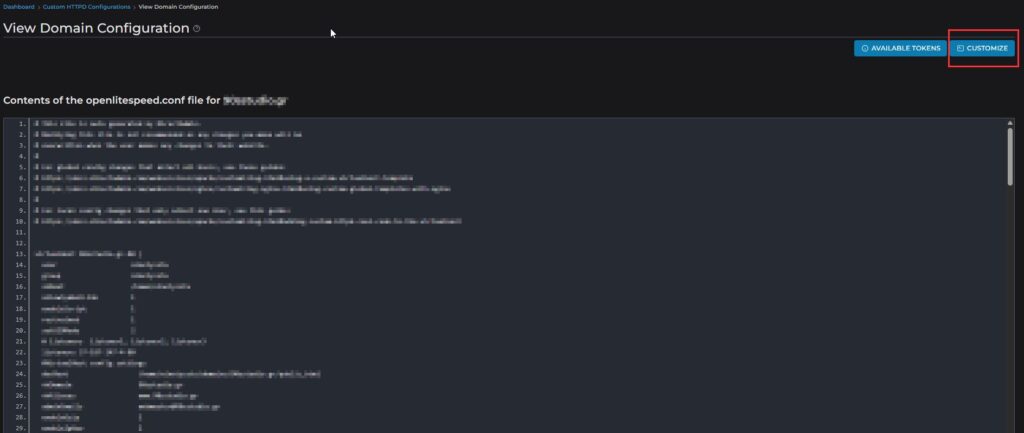
We click the Customize button at the top right to enter our rules.
On the next screen, we select the CUSTOM7 tab.
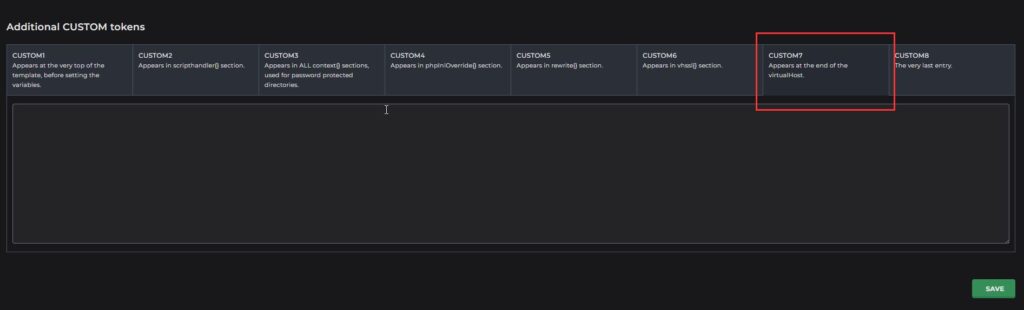
We enter the following content and press the SAVE button at the bottom right.
|
1 2 3 4 5 6 7 8 9 10 11 12 13 14 15 16 17 18 19 20 21 22 23 24 25 26 27 28 29 30 31 32 33 34 35 36 37 38 39 40 41 |
context / { location $DOC_ROOT/ allowBrowse 1 extraHeaders Strict-Transport-Security: max-age=31536000; includeSubDomains; preload } context / { location $DOC_ROOT/ allowBrowse 1 extraHeaders X-Content-Type-Options nosniff } context / { location $DOC_ROOT/ allowBrowse 1 extraHeaders X-XSS-Protection 1;mode=block } context / { location $DOC_ROOT/ allowBrowse 1 extraHeaders X-Frame-Options SAMEORIGIN } context / { location $DOC_ROOT/ allowBrowse 1 extraHeaders Referrer-Policy strict-origin-when-cross-origin } context / { location $DOC_ROOT/ allowBrowse 1 extraHeaders Expect-CT enforce, max-age=21600 } context / { location $DOC_ROOT/ allowBrowse 1 extraHeaders Permissions-Policy 'geolocation=*, midi=(), sync-xhr=*, microphone=(), camera=(), magnetometer=(), gyroscope=(), payment=(), fullscreen=(self)' } context / { location $DOC_ROOT/ allowBrowse 1 extraHeaders Content-Security-Policy: default-src 'self' https: data: 'unsafe-inline' 'unsafe-eval'; frame-ancestors 'self'; } |
After adding the required headers, we need to recreate the domain settings and restart OpenLiteSpeed:
|
1 2 3 |
cd /usr/local/directadmin/custombuild ./build rewrite_confs systemctl restart lsws |
We check if our rating has improved on the website securityheaders.com