


In EMDI park you can serve permanent customers with a subscription. Instead of charging every entry/exit from a price list, the system matches the plate to a subscription document and shows whether the period is active or has expired.
Who it is for
Parking operators who have monthly / periodic customers with a specific plate and validity period.
Before you start
- You have already set up the basics of EMDI park (inbound/outbound document types, price lists).
- A subscription document type exists (by default the code 122 is used).
- On the subscription document you always fill in the number plate and the period (start / end).
1. Subscription document setting
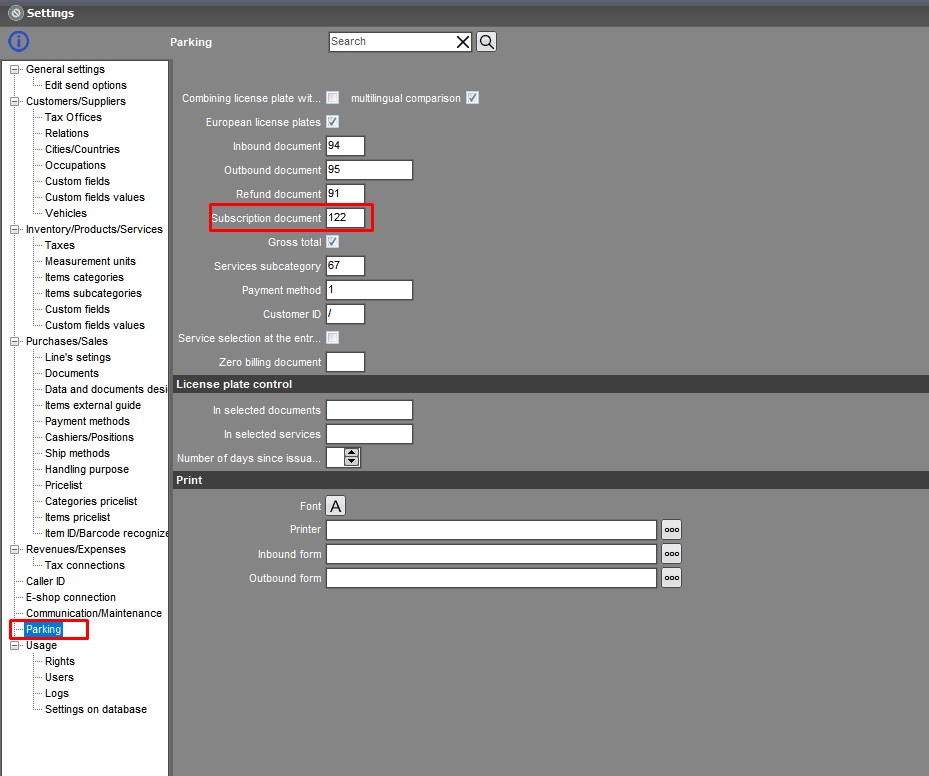
Open the parking settings and in Subscription document enter the document type code. The default is 122. If you leave it empty, no subscription check runs on entry/exit.
The value is stored in park.ini (section General, key subscription).
2. Issue a subscription document
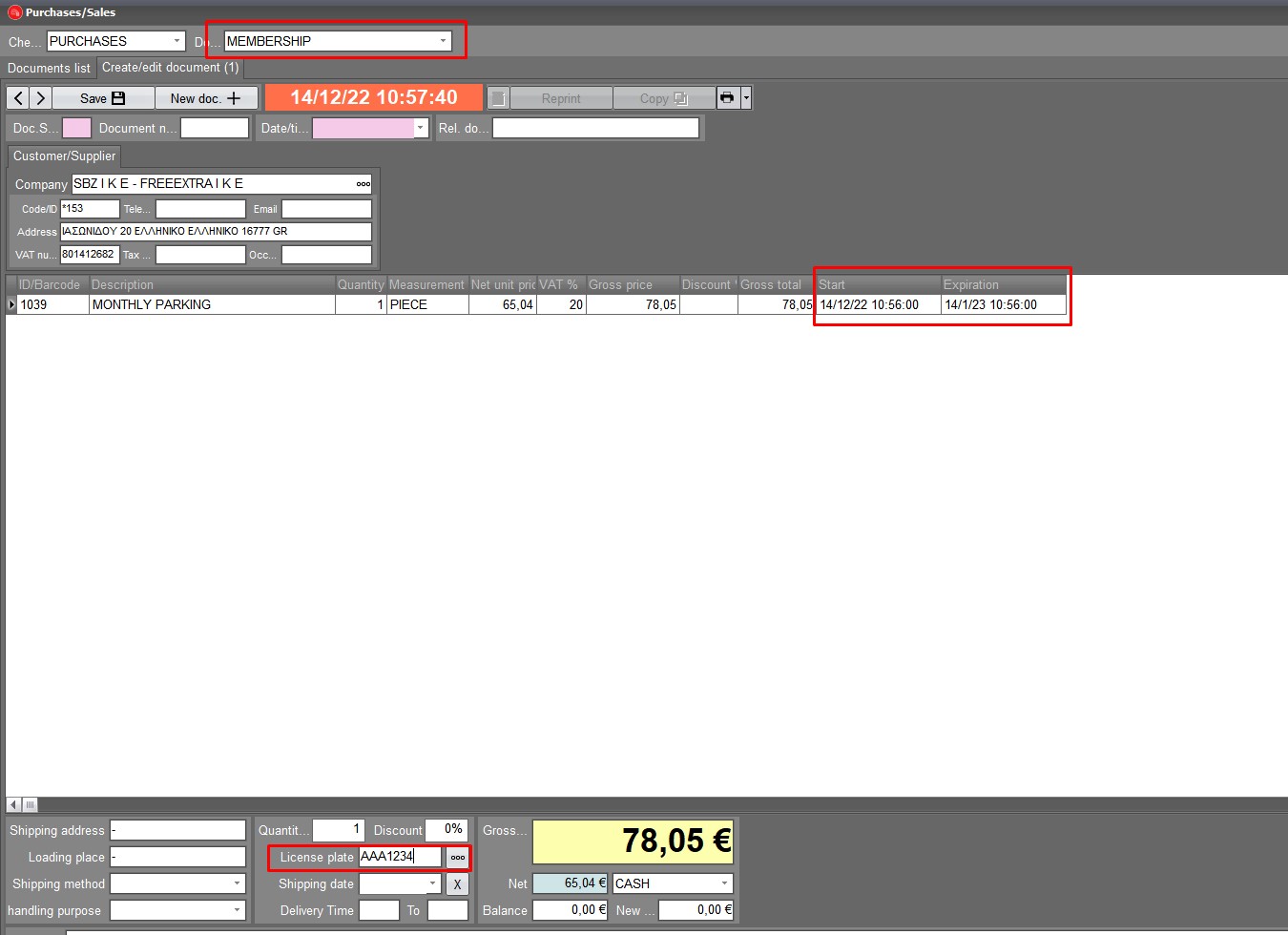
Issue a document of the subscription type:
- enter the vehicle number plate,
- set the billing period (start and end).
This is the period EMDI park checks on entry and exit.
3. Everyday use on entry / exit
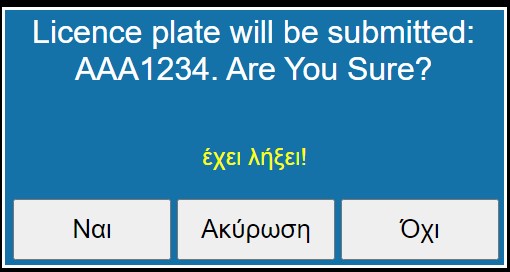
When you enter the plate in EMDI park:
- if there is an active subscription, you see an update with the expiration date,
- if the period has passed, you see that it has expired,
- for a subscriber the price-list selection does not open on exit and no price-list charge is calculated.
4. Reports
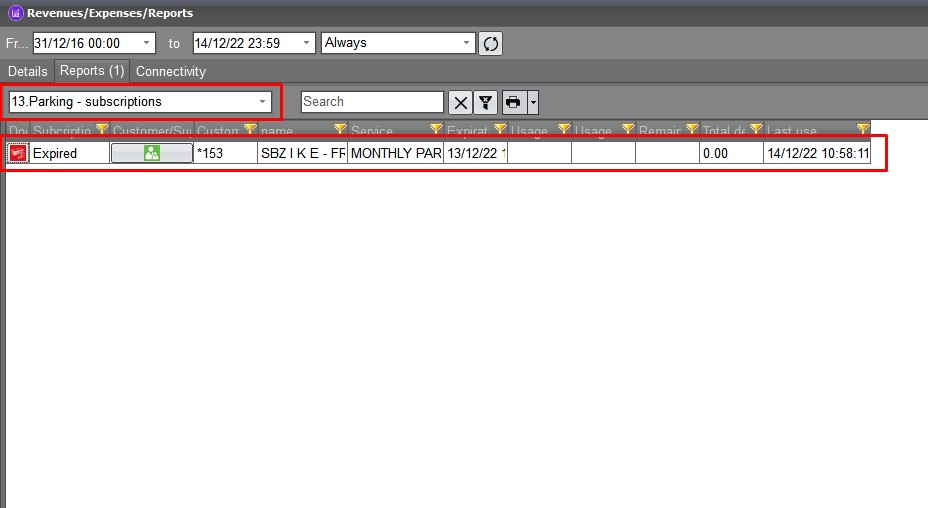
In the reports you can see subscriptions and their expiration dates together, so you can check which customers need renewal.
Tips
- The plate on the subscription document must match exactly the plate you type / scan in park.
- If “product list before” is enabled, the subscription check on entry/exit does not work the same way — use the normal flow without the list-before option.
- If no subscription notice appears, check: the document code in settings, the plate, and the start/end dates on the document.
Related