


Here you set up in EMDI the climate crisis resilience fee so it is sent correctly to myDATA.
What myDATA expects (short)
- When you issue the fee alone, the myDATA document type is 8.2 (“Climate crisis resilience fee”).
- When the fee goes together with services (e.g. hotel sales invoice / retail services receipt), keep the normal sales/retail document type and add the fee as a separate line with other taxes (not as a normal service net amount).
- On the fee line, net value / VAT is usually 0; the amount goes to other taxes, with a category that matches the accommodation type (stars / rooms / short-term, etc.).
- The income classification on the fee line is usually category1_95 (other informational income · does not update E3). Normal service lines keep their own classification (e.g. provision of services).
Who this is for
- Hotels / accommodations that charge the climate resilience fee together with services.
- When you issue a stand-alone fee document only (type 8.2).
Before you start
- You already have a myDATA account / connection.
- Yellow-field basics: Variable assignment for myDATA.
- Know the accommodation type (stars or rented rooms / short-term), because that drives the other-taxes category in the mapping.
- Official AADE hotel guidance (PDF): AADE thematic note – myDATA hotels.
Shared step: create the VAT
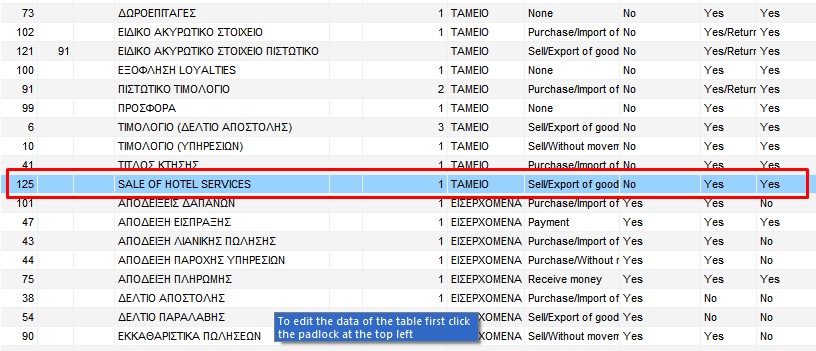
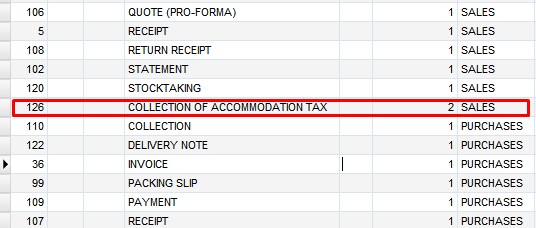
Open Settings → VAT, unlock, click Add, type the title and rate, then click Save. Do not use symbols such as . , # ! in the VAT title.
Example for the hotel sales document:
Example for the stand-alone fee document:
A. Sales document with fee (hotel)
When the fee is on the same document as the services (like the myDATA ΑΠΥ example: normal service lines + a fee line).
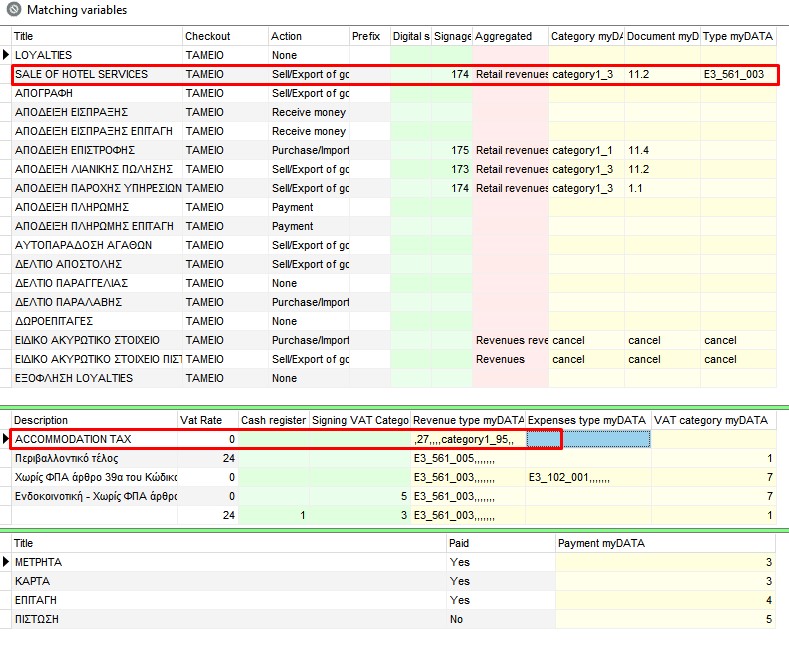
myDATA mapping
In Tax connections → Variable mapping, set the combinations as shown. Check:
- the sales / services document type (not 8.2 for the whole document),
- on the fee line: the other-taxes category for your accommodation and classification category1_95.
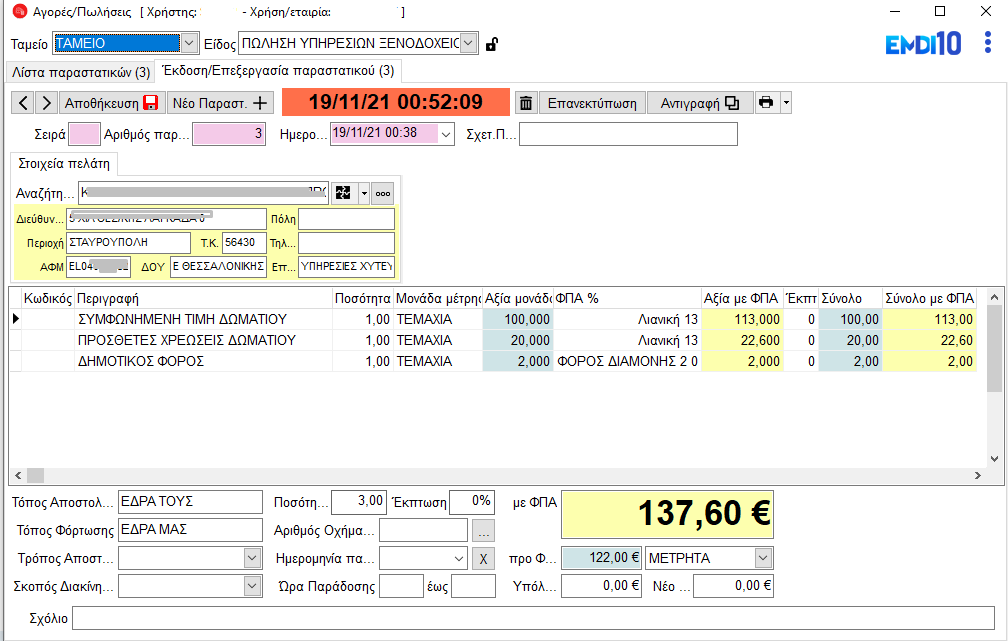
VAT on the item / issue
Open Inventory, select the item (service / fee), set the correct VAT, save, then issue as shown.
B. Stand-alone fee document (myDATA type 8.2)
When you issue only the climate resilience fee (no service lines on the same document). In myDATA this is type 8.2.
myDATA mapping
In Tax connections → Variable mapping, fill the yellow fields as in the screenshots for fee document 8.2 (other-taxes category + category1_95).


Tips
- Check that the fee line appears on the document before sending to myDATA.
- Do not confuse this with other myDATA “fees”: here the amount is declared as other taxes, not as a normal service net value.
- Use section A or B depending on whether the fee goes with hotel services or alone as 8.2.