


Here you set up a delivery note (and related goods-movement documents) so they are sent correctly to myDATA.
Open Settings → Tax connections → Variable mapping and fill the yellow myDATA fields on the document/VAT. The basics are in the main myDATA mapping article.
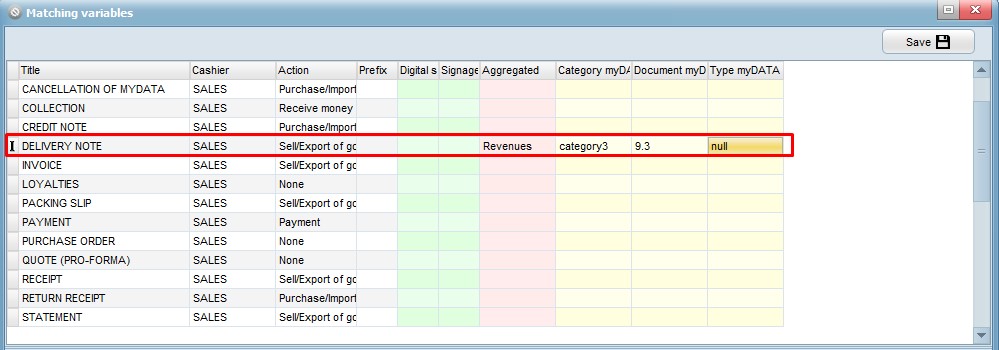
On the document type, set the correct movement code: 9.1 correlated, 9.2 summary, 9.3 delivery note. These are not Digital Client List (DCL). For a quantitative receiving note use 10.1/10.2.
Movement options on the document type
In the same settings grid, open the document’s myDATA/e-Invoicing options and tick what applies:
- Delivery note: when the document acts as a digital delivery note (including non-9.x types).
- Reverse delivery: for 9.3, so myDATA receives a reverse delivery with the purpose taken from the selected handling/purpose code.
- To weigh: for 9.1, 9.2 or 9.3, to declare that the goods are sent for weighing.
Movement purpose
In myDATA settings, define each purpose and its myDATA code (tax_movement). When you issue a document, the purpose list is filtered automatically: delivery notes show movement purposes; reverse delivery (when enabled) also shows reverse reasons; quantitative receiving notes show receiving reasons; garage/parking-wash/rental show Digital Client List service codes. If a purpose has no code, it may appear as unassigned – pick a coded purpose for a correct upload.
If you have both an invoice – delivery note and a sales invoice, use a different series on one of them (see the main article).