


Here you automate deductions / charges / tax withholdings in EMDI.
Important for the digital transaction fee: it does not follow the same rule as deductions. It is a positive amount with unit of measure additive of other values, and it goes to myDATA as stampDutyAmount. For setup and myDATA upload see here.
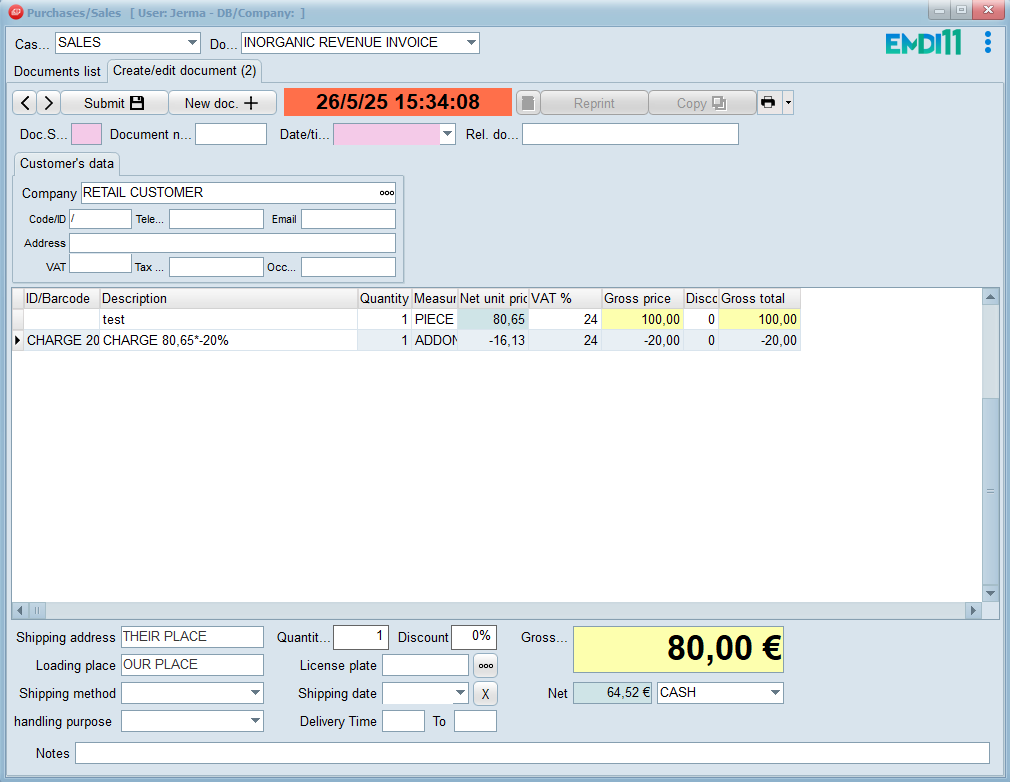
In EMDI, a deduction or tax withholding is any document line defined as an add-on with zero VAT and a negative value.
To create a deduction, charge, or tax withholding, first create it as a price list in Settings.
In this example you create a deduction as a price list (Settings → Price lists), then set the rate from the categories price list.
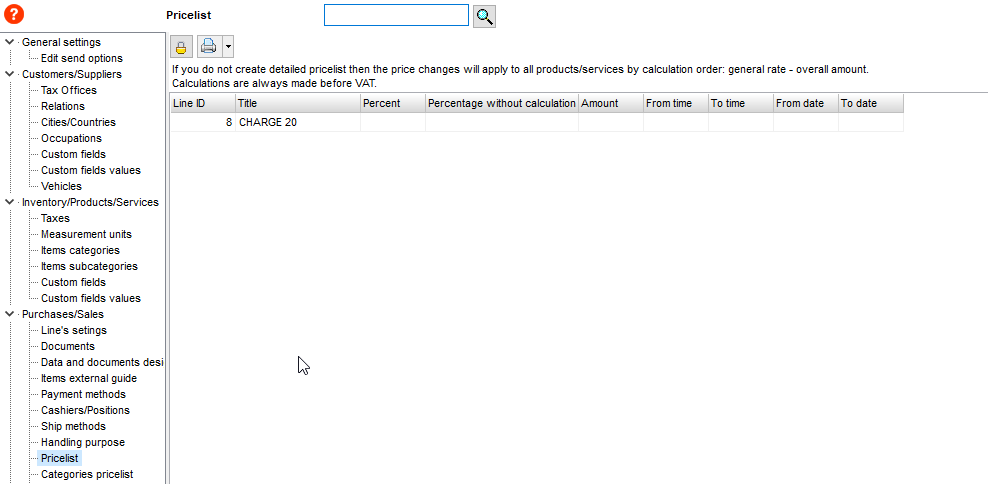
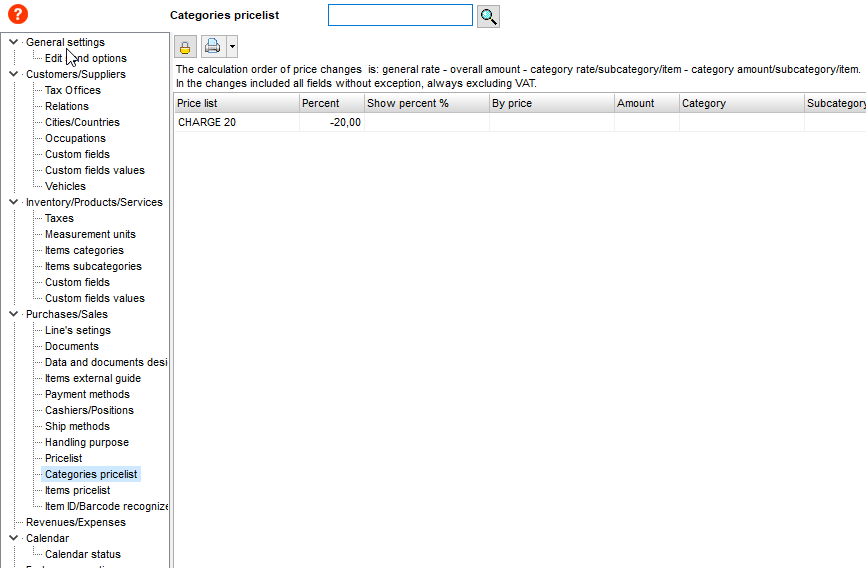
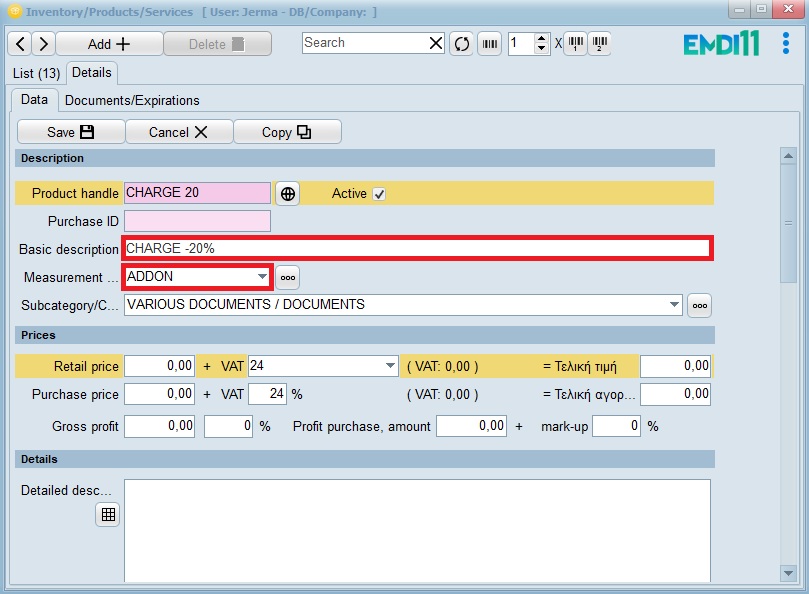
Then create a product whose sales code is the deduction name, description like “WITHHOLDING -20%”, unit of measure addon, and a category.
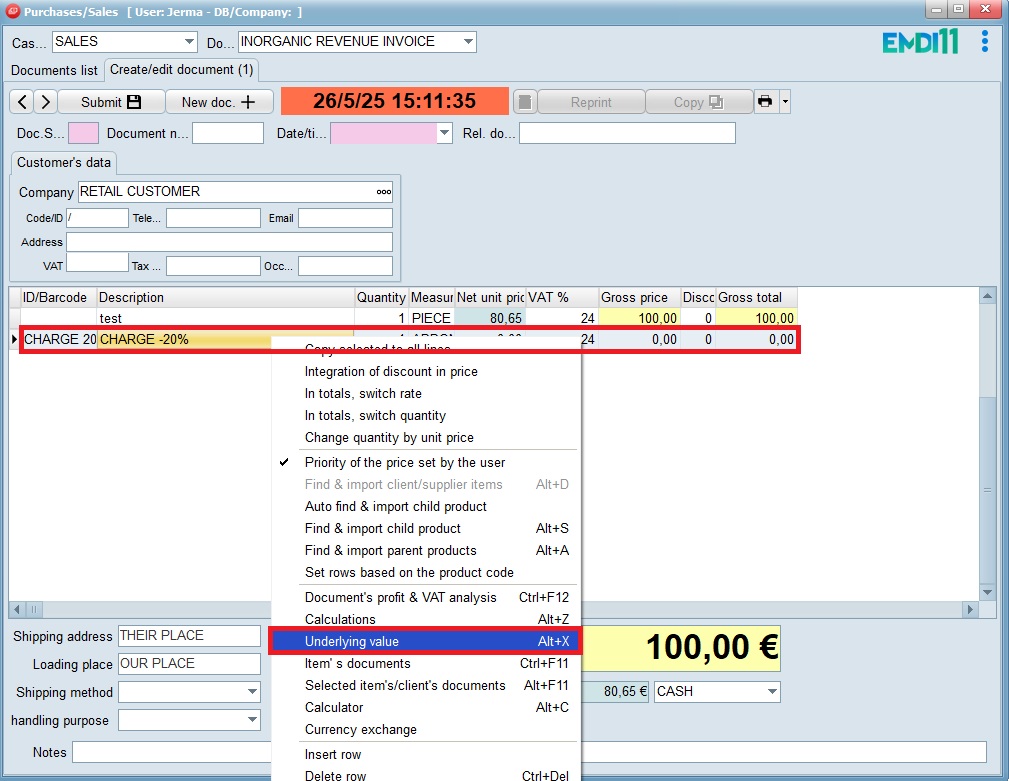
Go to Purchases/Sales, create a document with a product or service, and put the deduction on the next line. Right-click → Underlying value.
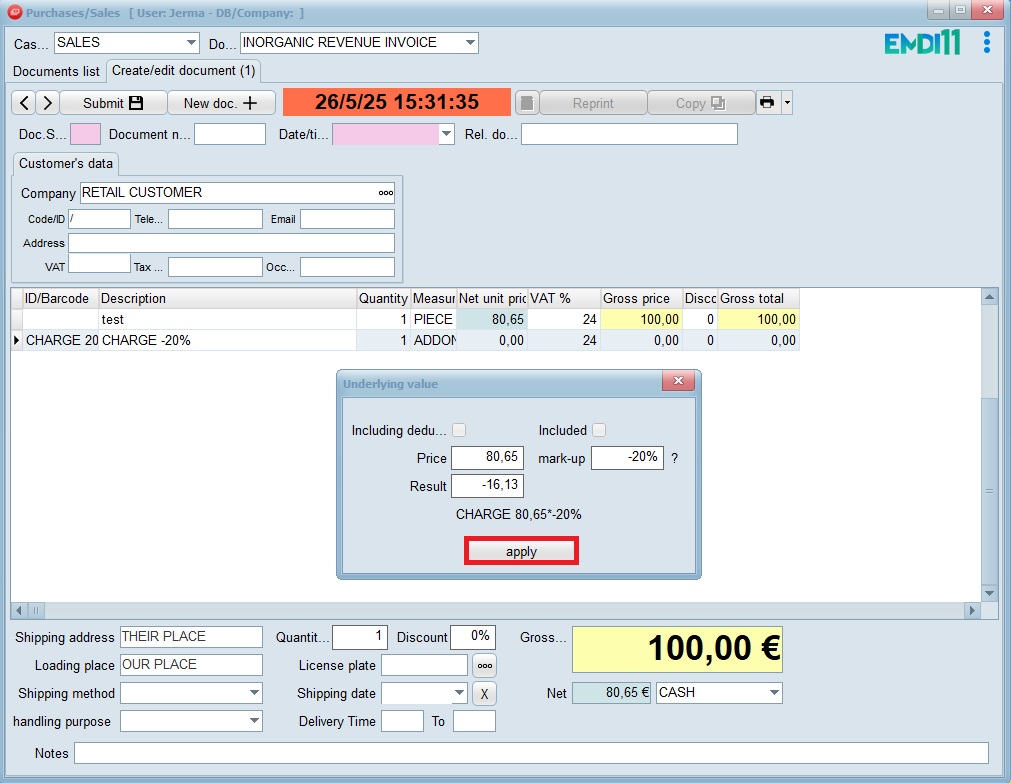
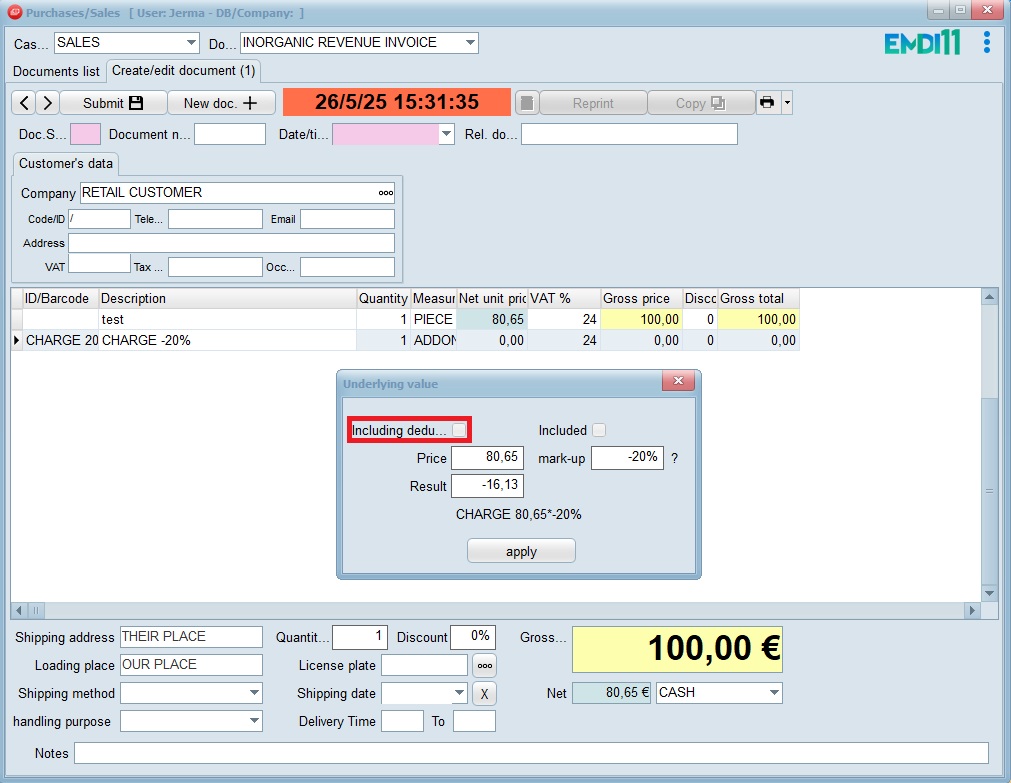
If you want a second deduction to include the first one in its base, check “Including deductions”.
You can also break down withholdings on the printout with variables #LOI, #LPF, #LPP. More information here.
Be careful: do not use the symbols %. , # !)( in the VAT description.