


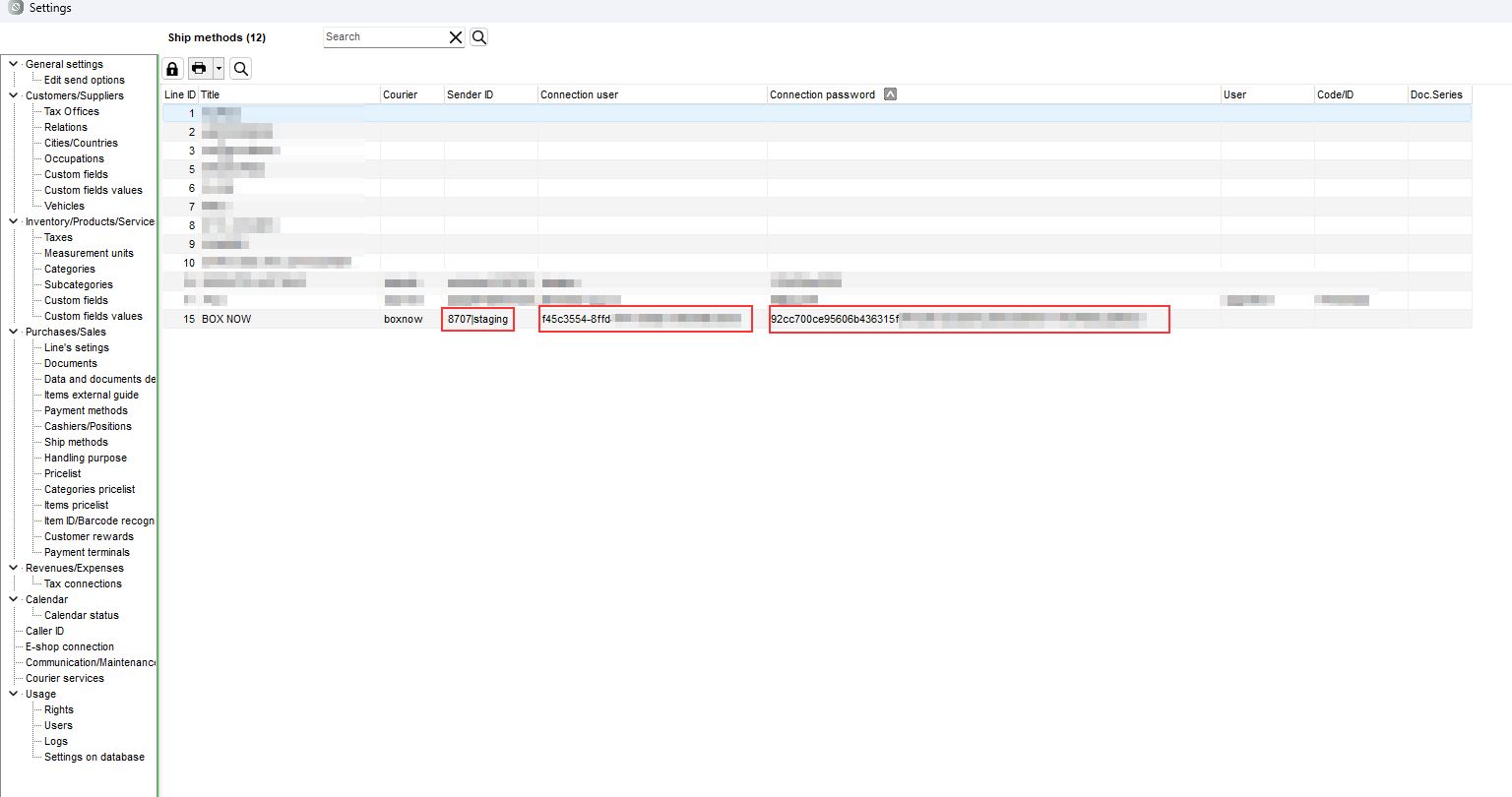
To connect to BOX NOW, open Settings → Purchases/Sales → Shipping Method, select or create the shipping method and in the courier field select boxnow.
- Sender ID: Warehouse ID|production or Warehouse ID|staging, depending on the environment in which the implementation takes place. The Warehouse ID is provided by BOX NOW.
Example production: 1807|production
Example staging: 2|staging - Login user: the Client ID, provided by BOX NOW
- Login code: the Client Secret, provided by BOX NOW
In the document, select this shipping method and click to issue a voucher.
For the correct issuance of the voucher, the following are required:
- Product weight
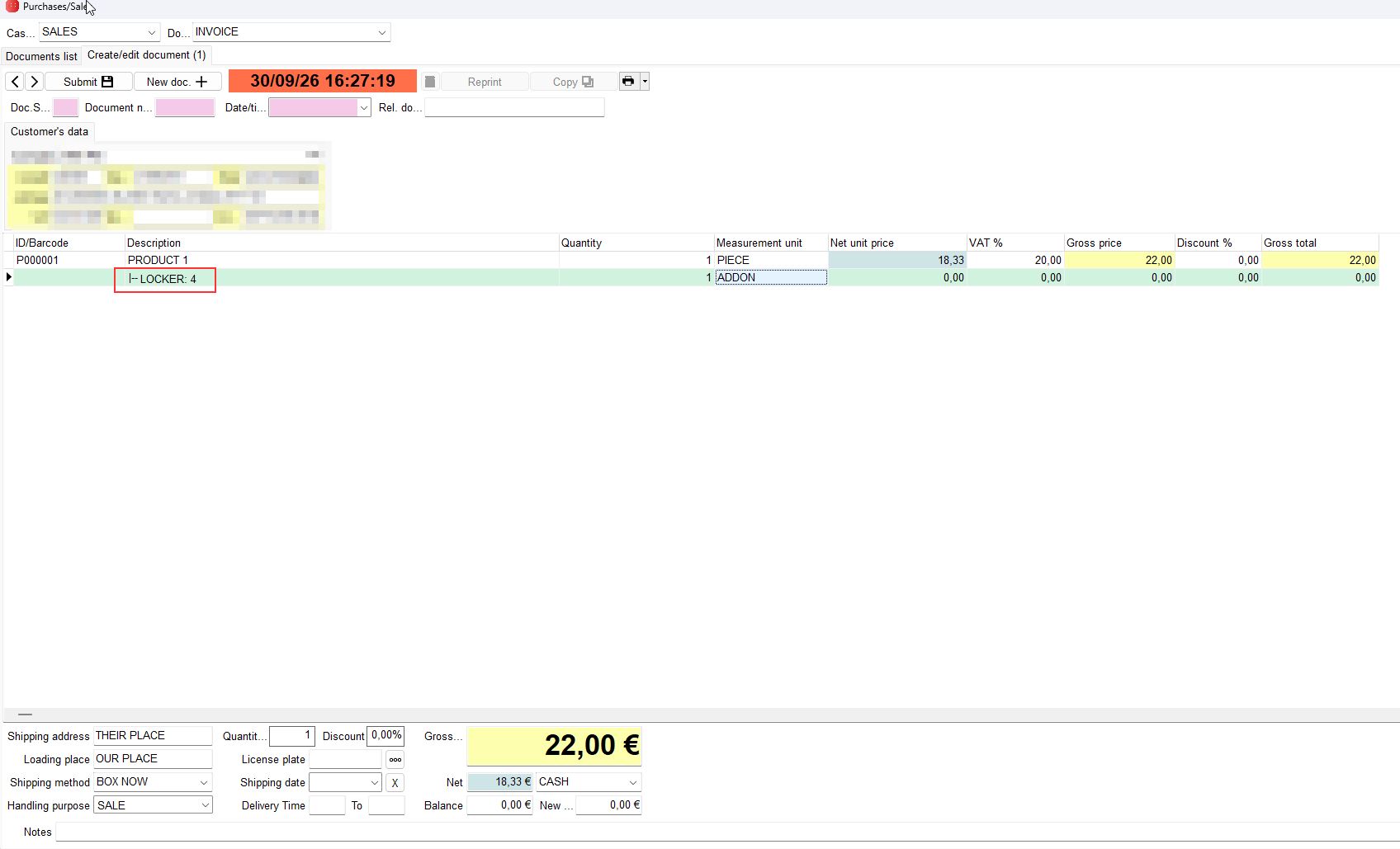
By default and if no selection is made, the BOX NOW voucher is always issued with a default locker size of Medium, as in the example below.
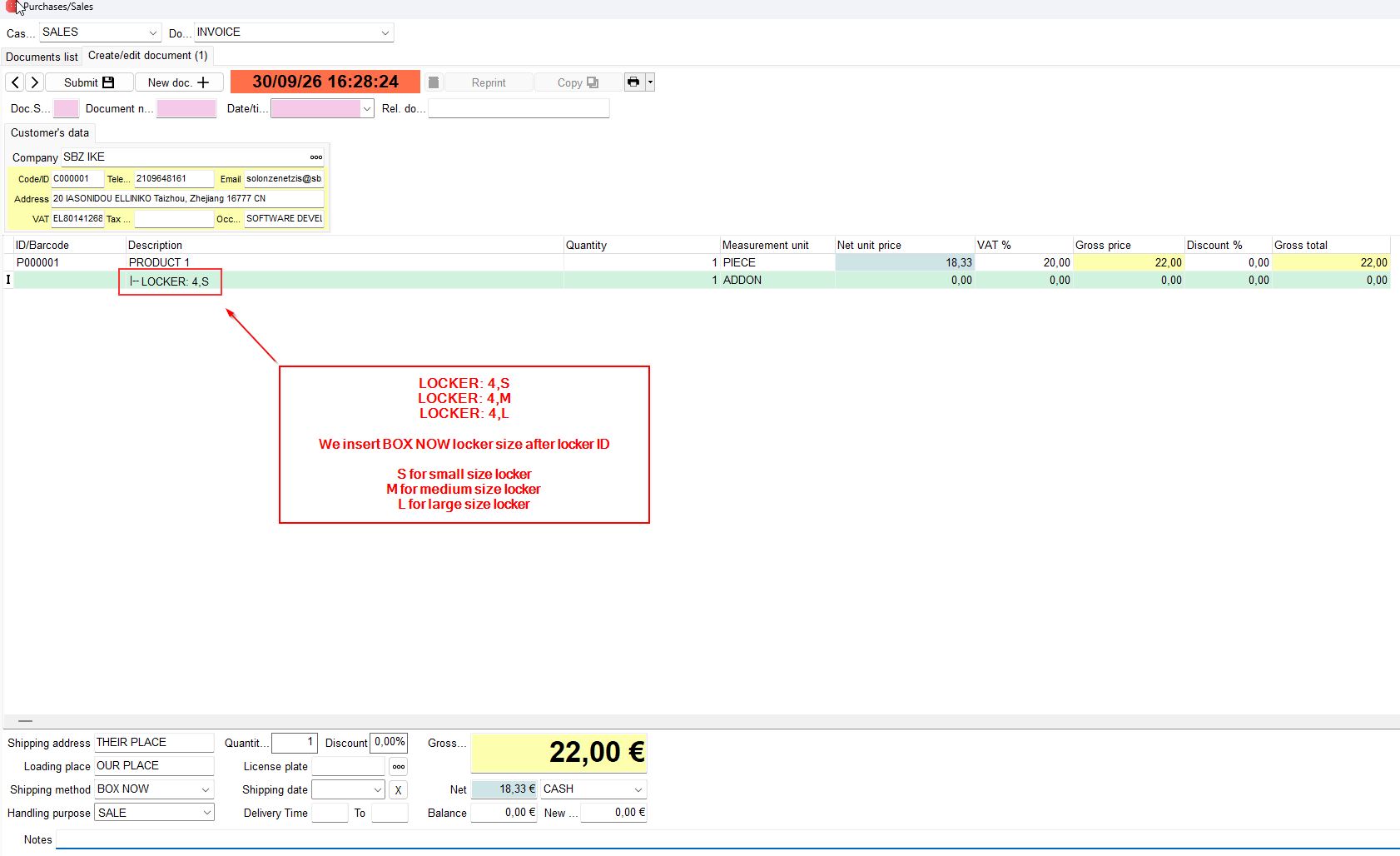
If we wish to select a specific locker size, we must add a comma and the locker size we desire after the locker id, as in the example below.
- S for small locker
- M for medium locker
- L for large locker
BOX NOW lockers sizes
Small: Height: 8 cm, Width: 45 cm, Length: 60 cm
Medium: Height: 17 cm, Width: 45 cm, Length: 60 cm
Large: Height: 36 cm, Width: 45 cm, Length: 60 cm