


To connect DHL, open Settings → Purchases/Sales → Ship methods, select or create the shipping method and set courier to dhl.
- Sender ID: your DHL sender code
- Connection user: API key
- Connection password: API secret
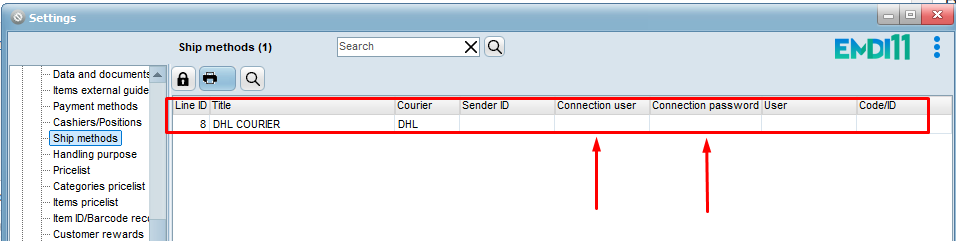
On the document, choose that shipping method and issue the voucher.
For shipments outside the European Union (when the recipient zone is not EU), DHL requires the document as PDF. Reprint the document as PDF first, then issue the voucher. If the PDF is missing, you see a message that the courier requires a PDF document.
For those shipments, items need a Taric code for customs. On the inventory item card, fill in the Taric field (not a custom field). Use the button next to the field, or double-click, to search the built-in Taric catalog.
To fill blank codes in bulk, use Filling in missing TARIC numbers in Inventory (by subcategory/description, only when there is a unique match). Check the codes before non-EU shipments.