


To configure the myDATA Quantitative Receipt Note in EMDI, go to Settings ⚙️.
In the left-hand column, select Tax Connections and then Matching Variables.
Locate the relevant document type and configure the following mappings:
myDATA Category:
category3 → Trading
myDATA Document Type:
10.2 / 10.1 → Uncorrelated Goods Receipt Note / Correlated Goods Receipt Note
myDATA Type:
null → Blank
Other:
Leave this field blank.
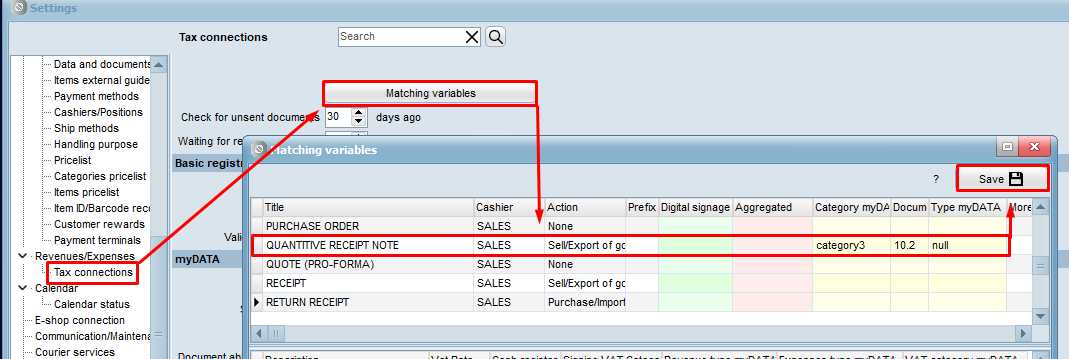 Finally, click Save 💾.