


EMDI Commercial Management can automatically re-issue documents on a schedule you define. The template document is linked to a reminder; when the time arrives and Appointments/Reminders is open, the application issues a new document with the same details.
First show the reminder field in Sales: choose Windows → Issue fields → Issue repeat. A bar with the label Reminder appears.
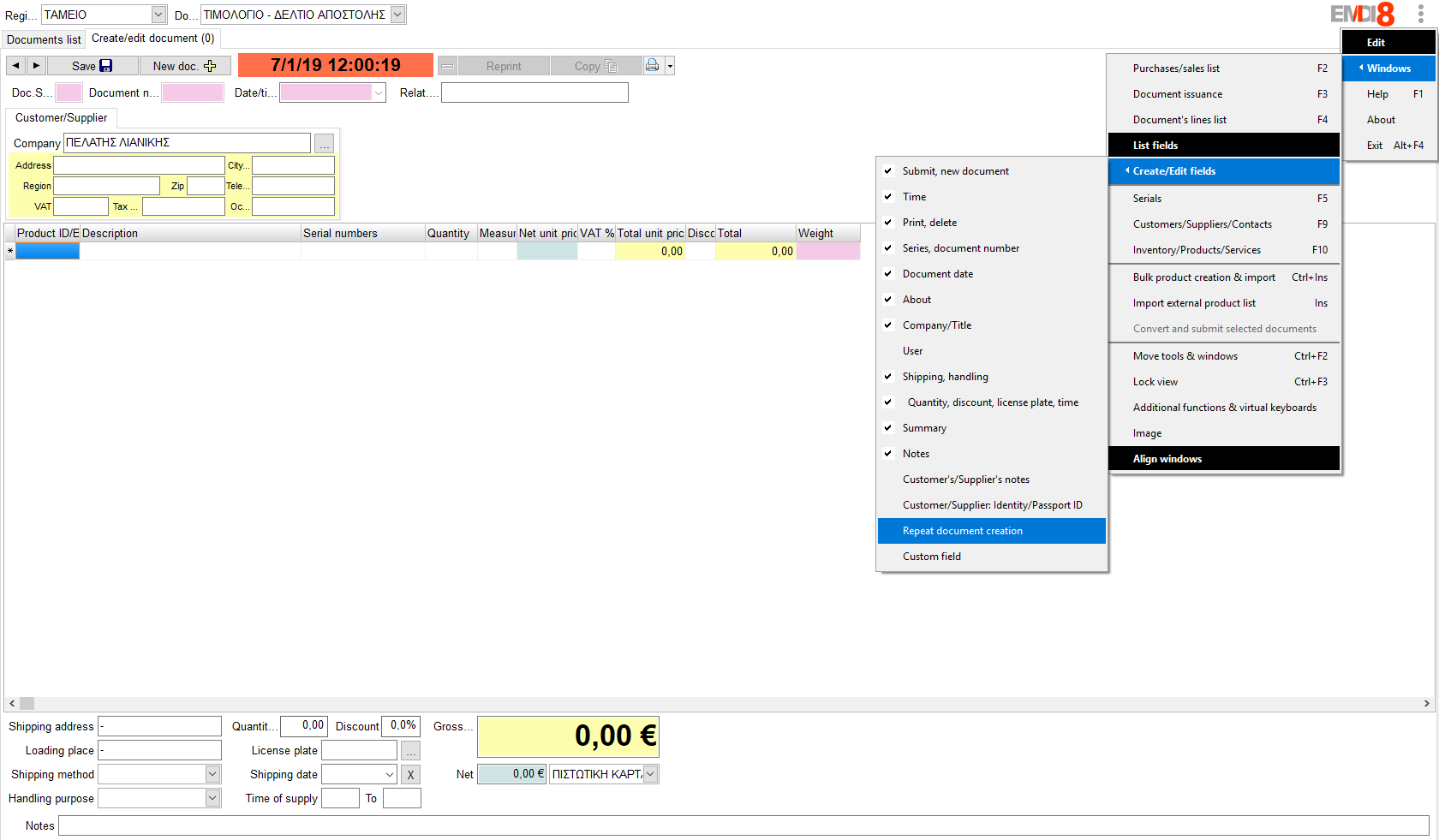
Then prepare the document (customer, document type, lines, series, etc.) and in the Reminder field choose how often re-issuing should happen, for example:
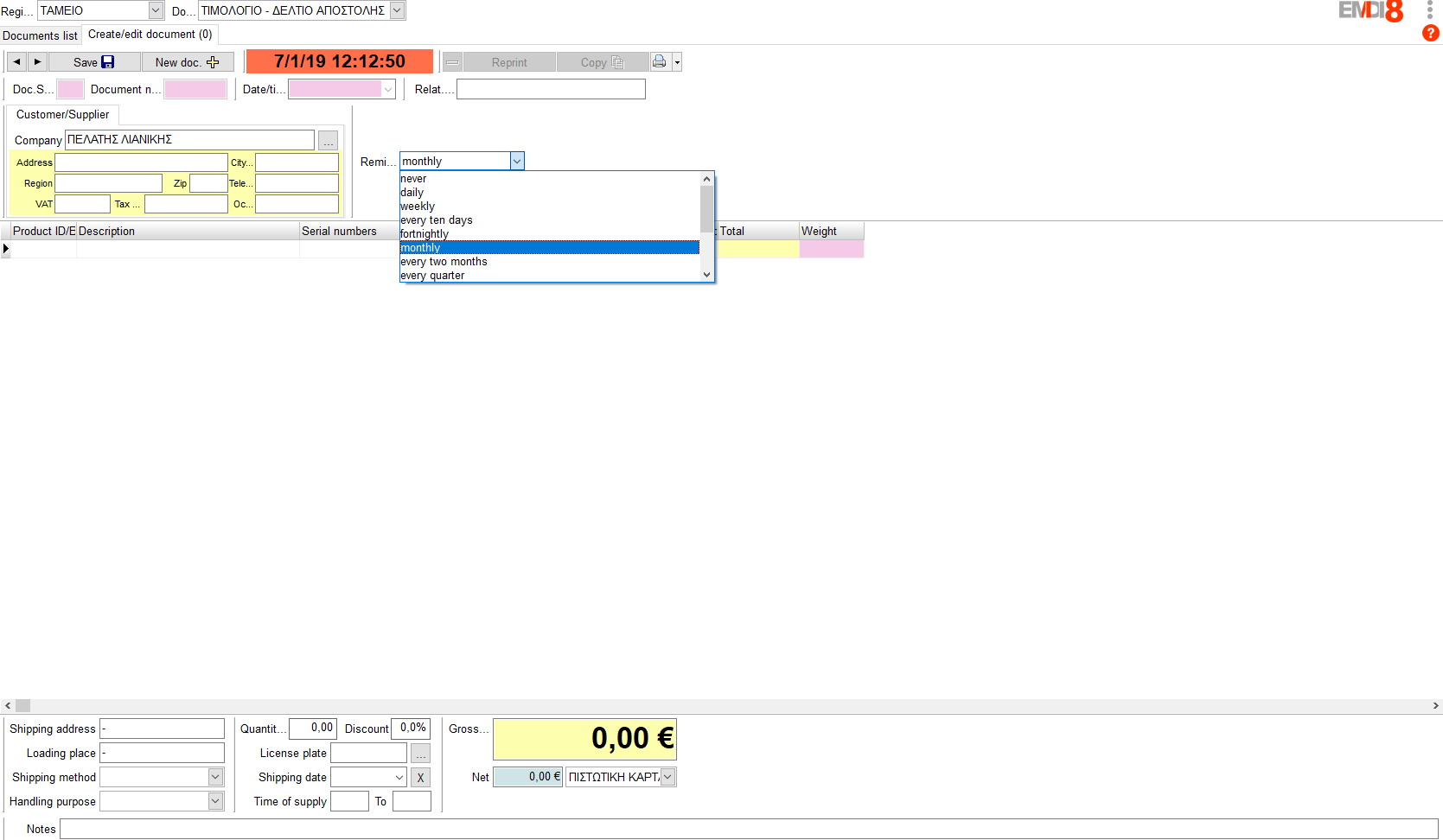
- every day / every week / every 10 days / every 15 days
- every month, 2 months, quarter, 4 months, 6 months
- every year or every 2 years
- document date or delivery date (no recurrence — one reminder on that date)
- or a custom recurrence
When you save the document with a reminder selected (not «never»), EMDI creates or updates the matching appointment and links it to the document. If you select «never» again, the link and the appointment are removed.
For automatic issuance to work, keep Appointments/Reminders open permanently. In appointment settings you can enable Minimize on exit so the window stays in the tray and reminders keep running. When the reminder fires, the application copies the linked document (type, customer, series, lines, payment, etc.) and issues a new one with the current date. By default it does not issue the same document again for the same reminder date; if you need another issue on the same day, enable the related Re-issue option in appointment settings.

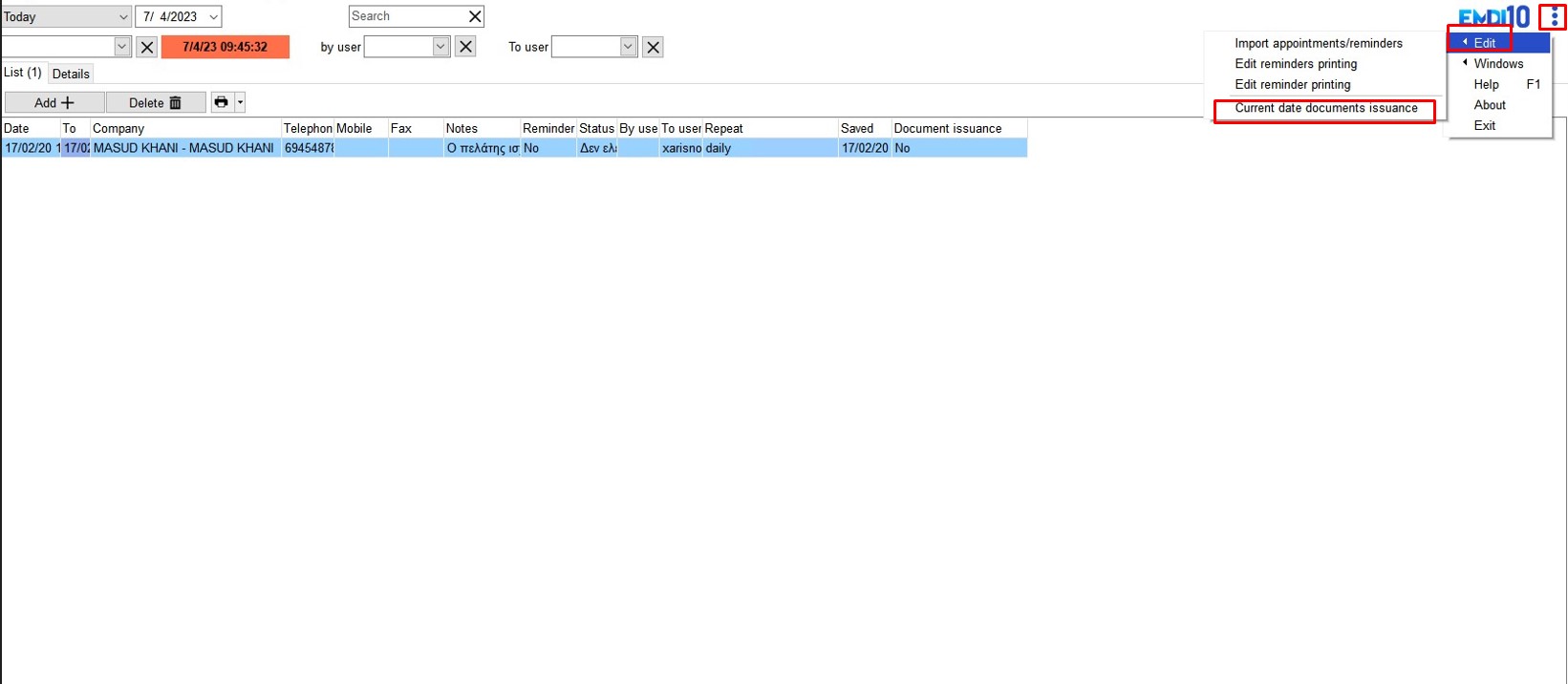
If you miss the reminder time or want a batch run, in Appointments choose Edit → Issue documents for selected day, pick a date, and run that day’s reminders.
For creating appointments/reminders manually, see Create appointment/reminder.